3.4.5.
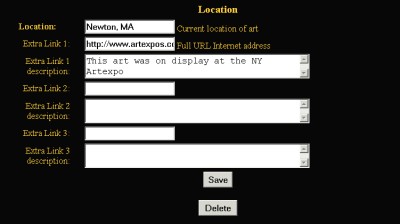
The location fields tell the perspective customer where the are
can be seen or any links to extra information about the artwork
on the web.
3.4.5.1.
Use the location to specify where the artwork can be seen. For
example "Newton, MA". This tells the perspective buyer
where he would have to go to see the artwork.
3.4.5.2.
The extra link fields are used to take the perspective buyer to
other locations on the Internet. These links are seen on the artwork
descriptions in the full detailed view (when someone clicks on an
artwork). The reason these links are at the artwork level is that
the artworks may show up on other web sites such as the family of
All-Art.net sites.
The Extra Links can be also be used to link to existing shopping
carts by using one set to add the artwork to the cart and the other
set to show the shopping cart.
The Extra Link field must specify the total web address (http://www.art-websites.com).
The Extra Link Description field is what the prospective buyer will
see in the artwork description. For example you might wasn't to
say "click here to see more art by Doris Weiner at the museum
of fine arts"
|
