|
 The
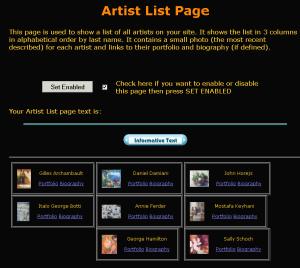
artist list page is automatically generated based on the artworks
described in your account. This page has a variety of uses. The
Artist List page also contains the Enable Web Page and Informative
Text controls. The
artist list page is automatically generated based on the artworks
described in your account. This page has a variety of uses. The
Artist List page also contains the Enable Web Page and Informative
Text controls.
 For
the tutorial enable this page. For
the tutorial enable this page.
The dynamic data is derived from the artist name fields in the artwork
descriptions. These fields are taken literally to create a grouping
of artworks. This means if you add an artwork with a new artist
name there will automatically be a new grouping for that artist.
For each group there is a portfolio link and a biography link. The
portfolio link will open a new page with all artworks that match
that artist name, with the newest in the upper left. If a biography
is defined for that artist there will be a link to that artist's
biography.
Also the most recent artwork is used to create a micro thumbnail
depicting that grouping.
4.6.3.3.1.
For the gallery account you will want to enable this page. Since
this I s automatically generated you will see the artists for the
artworks you have added so far.
4.6.3.3.2.
 As
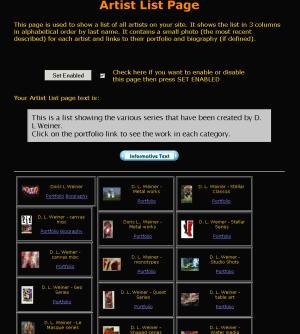
an individual artist you can take advantage of the dynamic properties
of this page. Your account can have an unlimited amount of artworks.
These can get out of control when trying to navigate through the
standard gallery view and Artwork Displays on other pages. The Dynamic
features of the Artist List can be used to tame this problem. As
an individual artist you can take advantage of the dynamic properties
of this page. Your account can have an unlimited amount of artworks.
These can get out of control when trying to navigate through the
standard gallery view and Artwork Displays on other pages. The Dynamic
features of the Artist List can be used to tame this problem.
By assigning the last name field of your artwork descriptions to
append "- series" allows the Artwork Display to automatically
group the different series of artworks you have. Now the artworks
are automatically grouped in the categories that can be seen visually
with the micro thumbnail. You can also take advantage to the separate
biography page used foe each grouping to talk more about what each
series is about.
For more information see
|