|
Now that you have the images of your artwork in the system we want
to describe them to create an artwork. To add a description to an
image you first go to your studio. At the bottom of the screen you
will se a grid of all your images in the system with the newest
additions in the top left of the grid.
 Click
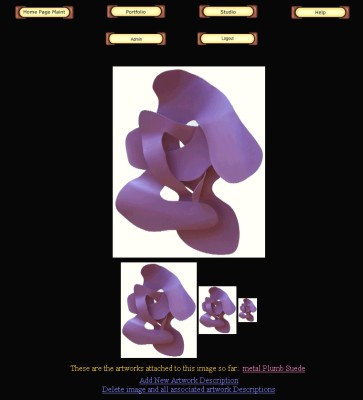
on an image that you want to add a description to. This brings up
a screen with all 4 sizes of the image (that way you can see the
quality at all resolutions). At the bottom of the screen you will
see some actions you can make from here. If there is already a description
attached to this image you will see its title next to the sentence
"These are the artworks attached to this image so far:"
Below that there is a link to add a new description and a link to
delete the photo. If you delete the photo it will automatically
delete all descriptions attached to the image. Click
on an image that you want to add a description to. This brings up
a screen with all 4 sizes of the image (that way you can see the
quality at all resolutions). At the bottom of the screen you will
see some actions you can make from here. If there is already a description
attached to this image you will see its title next to the sentence
"These are the artworks attached to this image so far:"
Below that there is a link to add a new description and a link to
delete the photo. If you delete the photo it will automatically
delete all descriptions attached to the image.
Now click on the "Add New Artwork Description" link. This
brings you to the MODIFYING ARTWORK DESCRIPTION page. Click this
link to get detailed information on how to fill out the description
form.
Once you hit save the artwork becomes active and is seen on all
sites that you have set it to.
For more information see:
|