|
 The
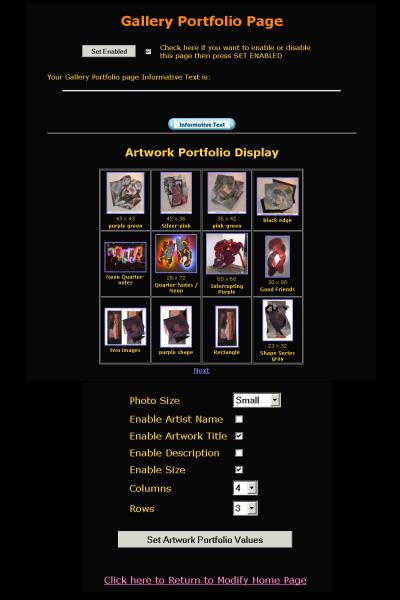
Gallery Portfolio page contains a dynamically generated grid showing
all the artworks you have enabled in your account. The Gallery Portfolio
page also contains Enable Web Page and Informative Text controls
as well as the grid controls of and Artwork Display object. The
Gallery Portfolio page contains a dynamically generated grid showing
all the artworks you have enabled in your account. The Gallery Portfolio
page also contains Enable Web Page and Informative Text controls
as well as the grid controls of and Artwork Display object.
This page is used to show all the artworks that have been defined
so far. They will be shown in order of when they were described
with the newest in the upper left corner. You do not have any control
of the order of the artworks. This guarantees this page will always
show the newest artworks.
 For
the tutorial you will want to enable this page. Click on the enable
check box to put a mark in it and then hit the SET ENABLE button. For
the tutorial you will want to enable this page. Click on the enable
check box to put a mark in it and then hit the SET ENABLE button.
For more information see:
|